Activating Google Pay
Activate Google Pay using the Rapyd Client Portal.
You can accept Google Pay from your customers with any Google Pay enabled payment methods.
Note: Google Pay is currently available with the following requirements:
Clients who are domiciled in Europe can collect payments worldwide using Google Pay.
Customers must be logged into their Google account in their browser to make the payment.
Before Activating Google Pay
Make sure Google Pay is available for your payment methods in your region. You can reach out to your Rapyd Relationship Manager.
Hosted | Plugins | Toolkit | API Payments | |
|---|---|---|---|---|
Toggle on Google Pay in Client Portal | ||||
Register with Google | N/A | N/A | N/A | |
Initialize Full Integration with Google | N/A | N/A | N/A |
How to Activate Google Pay
Complete the following steps to activate Google Pay.
Sign in as described in Signing In to the Client Portal.
Navigate to Settings > Payment Methods > Digital Wallets.
The Digital Wallets section appears.
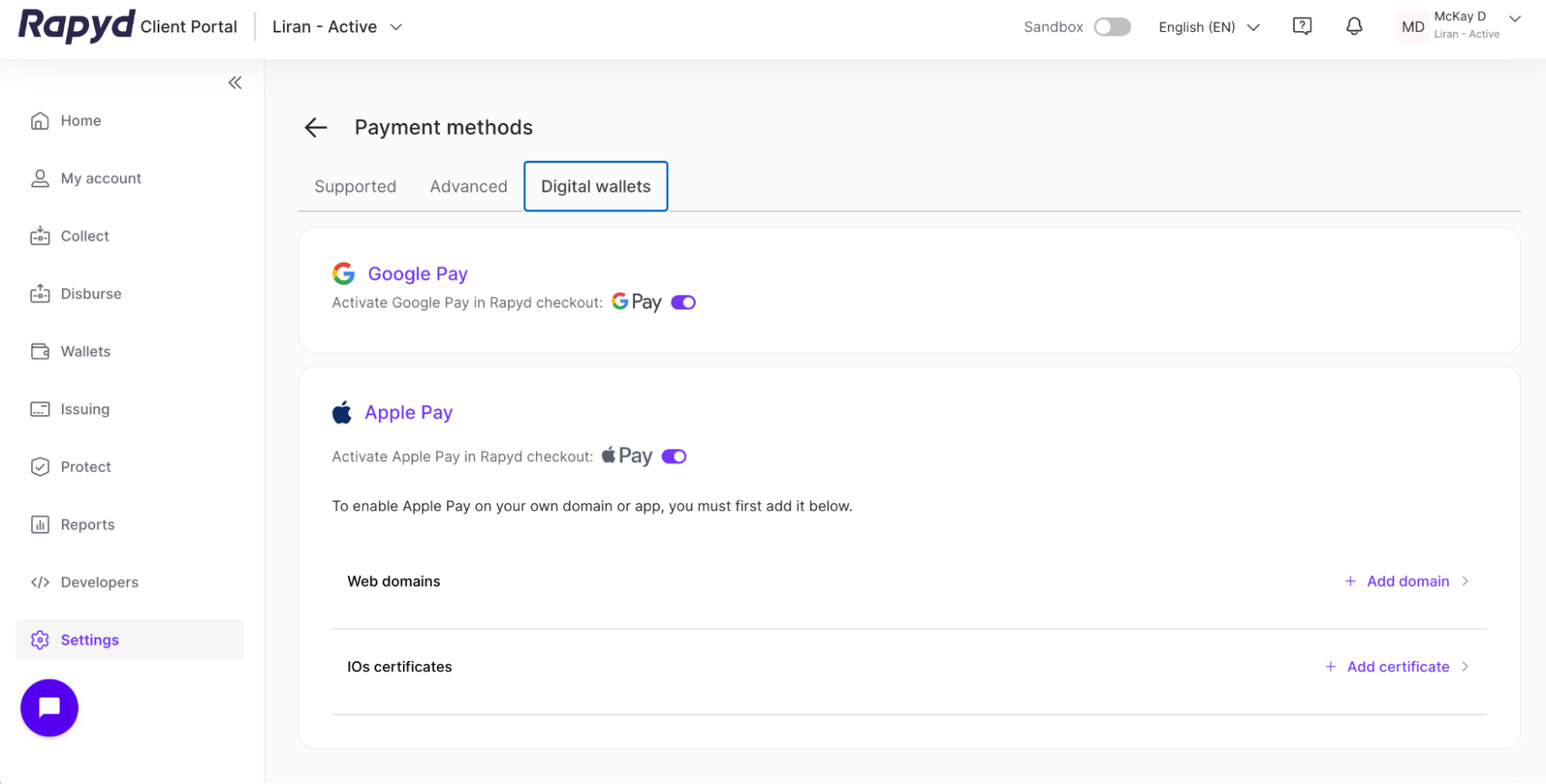
Under Google Pay, toggle on the on/off switch.
You will be able to enable or disable Google Pay collections using the Google Pay on/off switch.

Activating Google Pay
You must submit your KYB form and receive KYB approval before you can enable Google Pay. You can enable payment methods that work with Google Pay. The toggle to enable Google Pay will be disabled until you are KYB approved.